Think...Dream...Fly...Wonder

Wednesday, 19 March 2014

Introducing the Android Wear


After months of rumors, Google has officially announced that it plans to extend Android to other wearable devices beyond Google Glass, and it’s starting with smart watches.
The company has announced Android Wear, a version of the operating system designed specifically for wearable devices.


The focus of Android Wear is in relevant contextual data, much of which you already get from Google Now like location-based weather, traffic data, reminders, travel info (airplane boarding passes, etc), and app notifications. There are the usual fitness tracking options that are already relatively standard on wearables, and interesting notifications like jellyfish warnings when you're at the beach. The interface is gesture-based, but quite a lot of the functionality seems to come from the voice command system, which does include the song recognition feature in Google Now.


Google has also started the rollout of the Android Wear SDK Developer Preview. Again, Google has been very careful to say that the SDK will allow developers to "extend" app functionality to wearables, meaning this is not a platform which will have standalone apps on it to start.
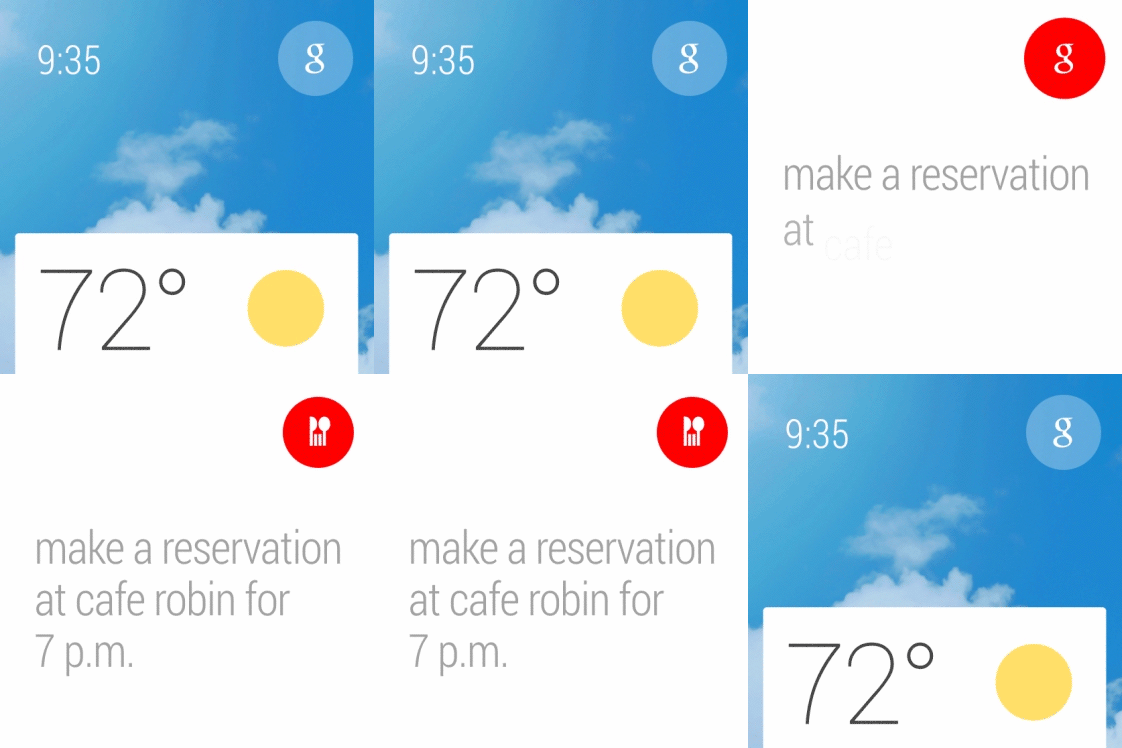

Google is working to make sure these watches aren't hideous: Fossil and other "fashion brands" will apparently offer watches using the operating system later this year.

Monday, 17 February 2014

How to Make an Easy E Bomb Using Notepad.


An E-bomb is a simple type of computer prank that tricks a friend (or enemy) into thinking his or her computer is being hacked, is infected with a virus, or is experiencing a serious error. The process of executing an E-bomb involves writing a special kind of file using notepad which contains commands that slow down the computer, crash the system, or merely startle the user, then tricking the user into opening the file. E-bombs can be anything from a minor annoyance to a system-destroying nightmare for the user; the E-bombs in this article are intended merely as innocuous pranks, so the worst they'll do is cause a computer to crash.

Open Infinite Windows:

Open Notepad and type the command as shown in the image.


Save the file as a batch file i.e. with an extension ".bat"

So your file name will look something like "loop.bat"

Now as soon as someone opens this file there will be a infinite no. of programs opening.
Something Like This:


You can also enter any of these :
  • iexplore.exe - Internet
  • calc.exe - Calculator
  • notepad.exe - Notepad
  • winword.exe - Word 2013

Monday, 10 February 2014

Flappy bird pulled from app store? Here is the solution.

Saw that flappy bird game on one of your friends gadget.
Decided to download it but when you visit the app store it is no longer available.

As of today, the original Flappy bird game is gone from both Android and IOS app stores.

The game’s developer, Dong Nguyen, never wanted Flappy Bird to bring him fame. But it did, as the game surpassed 50 million downloads on Android and iOS, eventually garnering around $50,000 per day in ad revenue. Dong Nguyen said that the game was “a success of his”, but it “also ruined his simple life”, so now he “hates it.” .

Although there are a lot of alternatives available to the game, If you still want to download and play the game ,a download link is available at the bottom of the post just download and install and KEEP FLAPPING!!


How to Install Flappy Bird APK v1.3 on your Android :
  1. Copy the downloaded APK file on your phone or download it directly to your phone.
  2. Uninstall any previous version of Flappy Bird if installed.
  3. Locate the downloaded file on your phone now and tap it.
  4. If asked, allow Unknown Sources in Settings > Security > Unknown Sources.
  5. Select “Package Installer” if prompted.
  6. Proceed with the installation instructions and complete it.
  7. Open your game from the App Drawer after installing it.
  8. Flap your Bird now
  9. That’s All!
Flappy Bird Apk - v1.3 - Click Here

Friday, 7 February 2014

Make VLC open file in a new window every time.


  1. Go to Tools > Preferences.
  2. Make sure that Allow only one instance under Instances is unchecked.
  3. Choose All at the bottom-left corner, under "Show Settings".
  4. Make sure that Allow only one running instance under "Performance options" is unchecked.
  5. Make sure that One instance when started from file under "Performance options" is unchecked.


Wednesday, 22 January 2014

Get the the Nexus 5 experience on your phone

As previously announced, Google did not include their new Google Experience Launcher (GEL), that was introduced for the Nexus 5, in the just released factory images, such as for the Nexus 4.

Fortunately, because the new Launcher App is actually just a stub and all the functionality is now tied into the Google Search App, the Search App version that shipped in KitKat also makes GEL available for all devices running Android 4.1+. So, if you run KitKat, all the functionality is actually already there and you just need to install the correct interface (i.e. Launcher App). And even better, you don't even need to run KitKat for GEL. It can be installed on any device running Android 4.1+ (by installing/updating the Google Search App). 

Friday, 10 January 2014

Amazing sound illusion.

Guys listen to this with your headphones on. I'm sure you will be amazed.


Thursday, 9 January 2014

Bitcoin, What's that?


Bitcoin is a form of virtual currency- meaning, if you have bitcoins (we will get to how you obtain bitcoins later), you do not physically purchase goods by handing notes or tokens to the seller. Bitcoins are used for electronic purchases and transfers. You can use bitcoins to pay friends, merchants, etc. Every single purchase is immediately logged digitally (on computers) on a transaction log that tracks the time of purchase and who owns how many bitcoins. Think of this transaction log as an audit trail: it contains every single piece of information of every bitcoin transaction. This digital transaction log is called 'blockchain'.

The blockchain records every single transaction - of present and past - and the ownership of every single bitcoin in circulation. The people who are constantly verifying the blockchain, ensuring that all the information is correct and updating it each time a transaction is made, are called 'miners'. One way to think of miners is: they those who confirm transactions. Their job is to ensure that the transaction is secure and processed properly and safely. In return for their services, miners are paid fees by the vendors/merchants of each transaction and are also given physical, minted bitcoins.